Mac status bar file menus, built your way
Your curated files, organized in one click from the Mac Menu Bar.
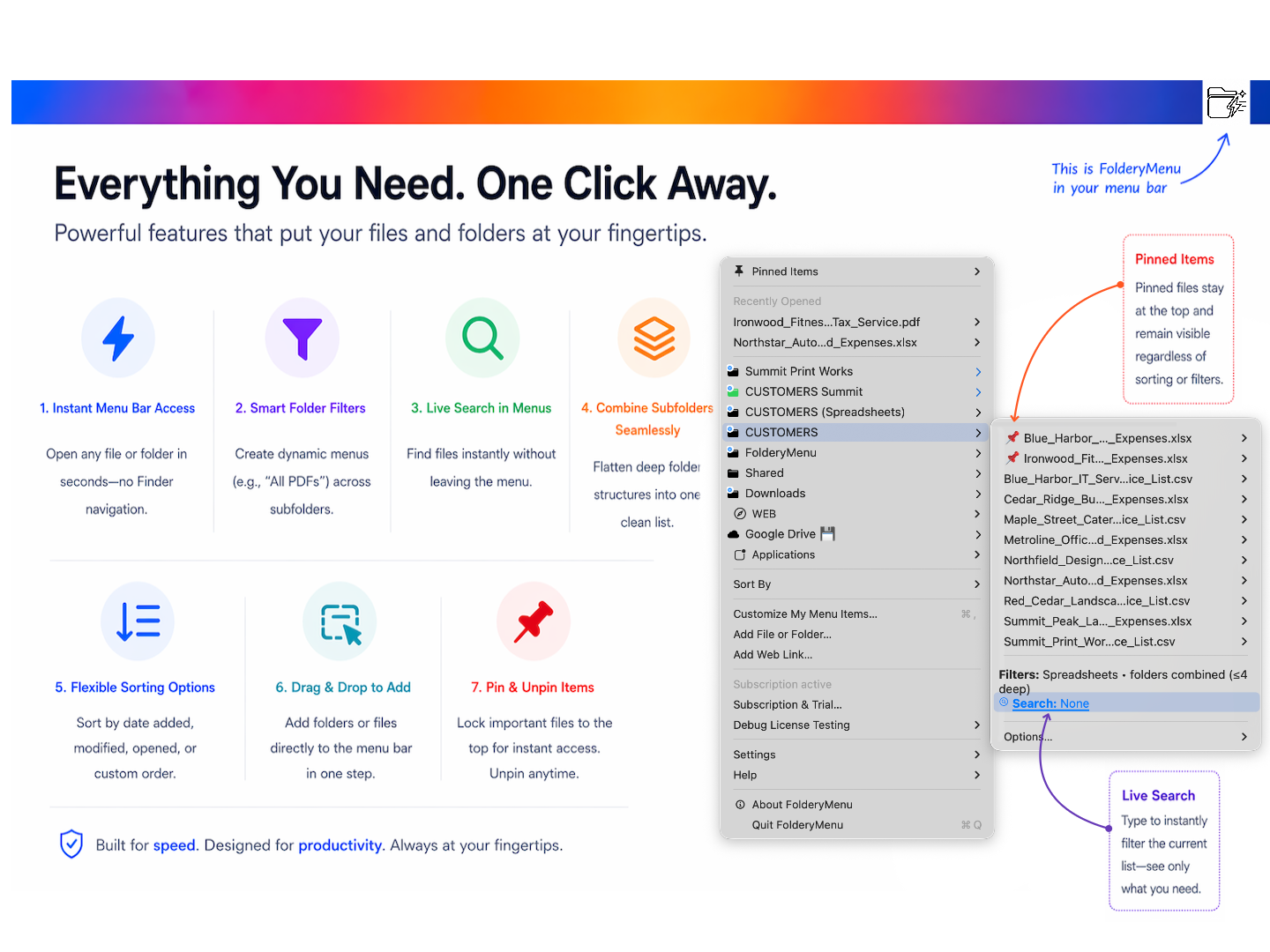
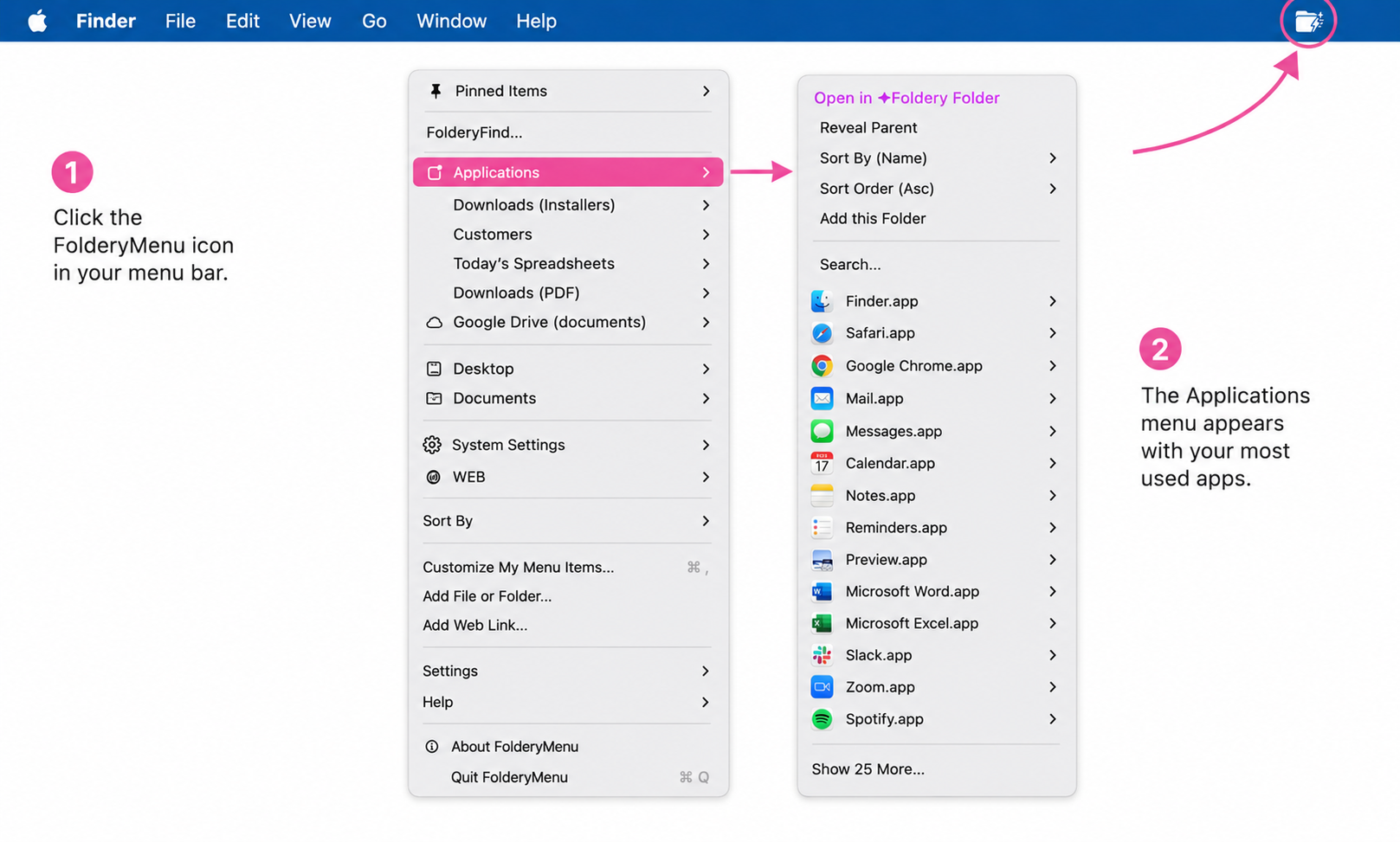
FolderyMenu™️ turns folders into fast custom menu items in your Mac OS menu bar. Pin your favorites, sort, custom name your folder searches, consolidate subfolders into a single list, navigate a folder tree. Pin most-used applications or Mac Settings.
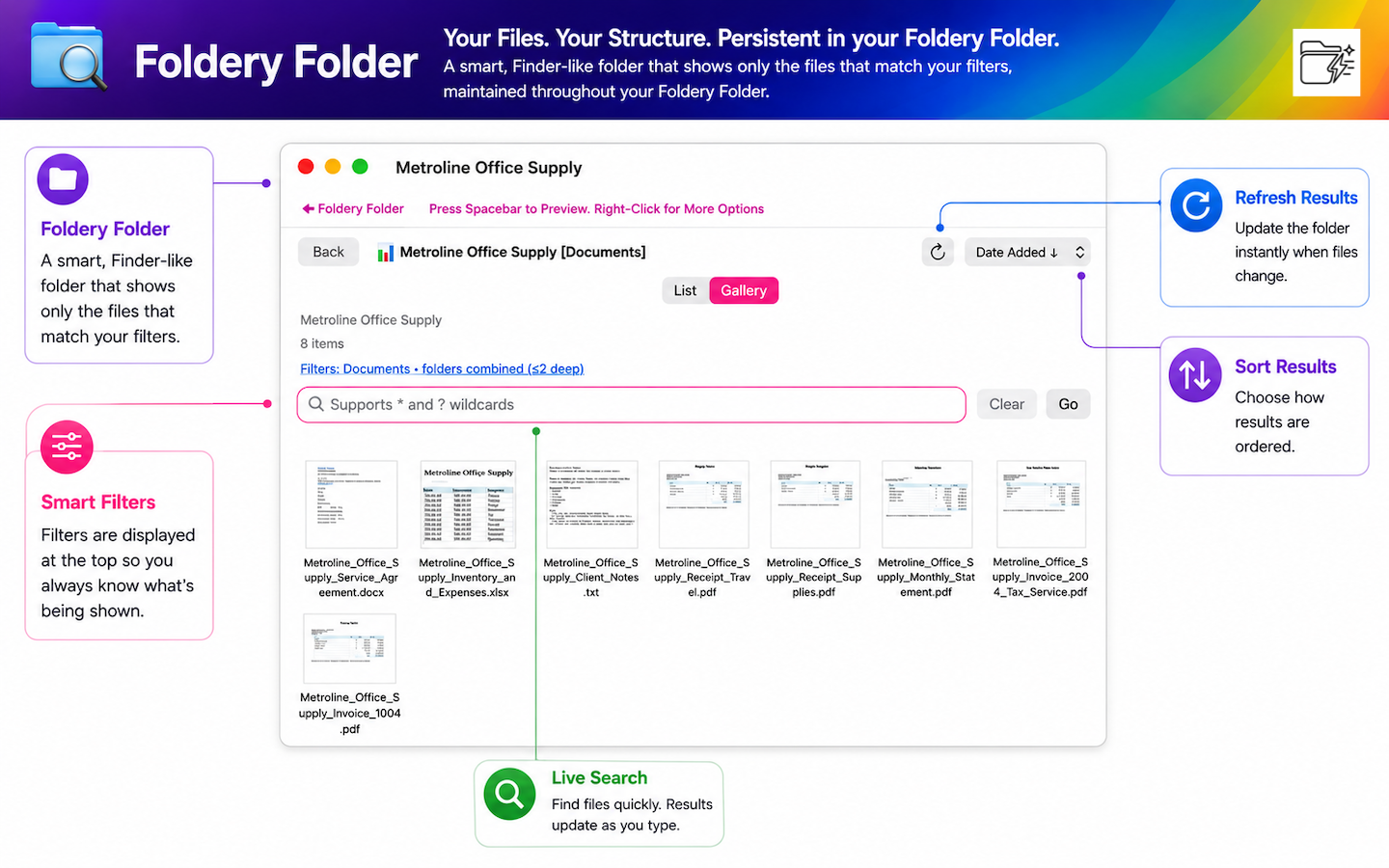
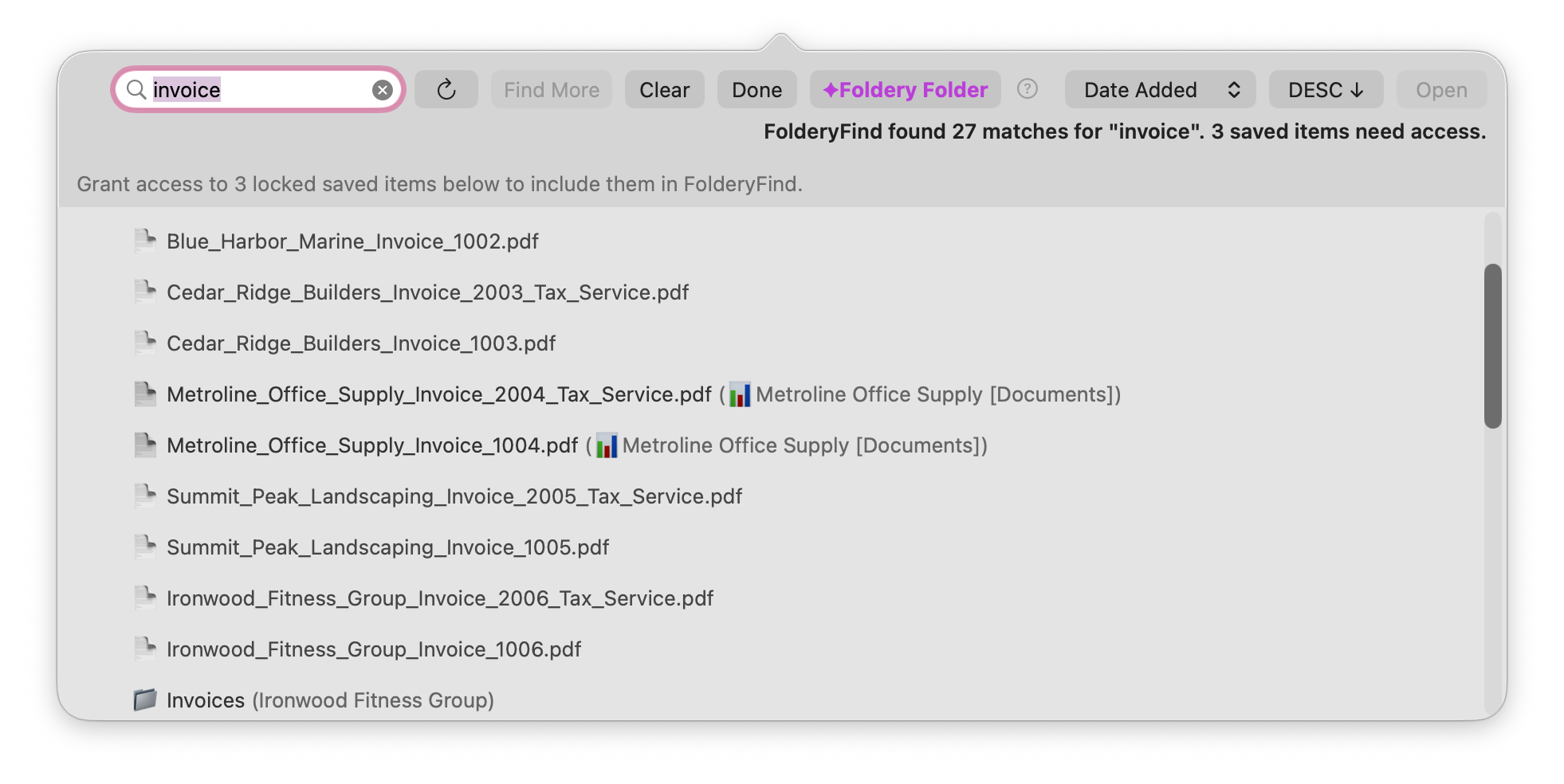
Create Finder-like smart folders, choose exactly what appears, browse matching files instantly, and open the right file or setting without digging through Finder.
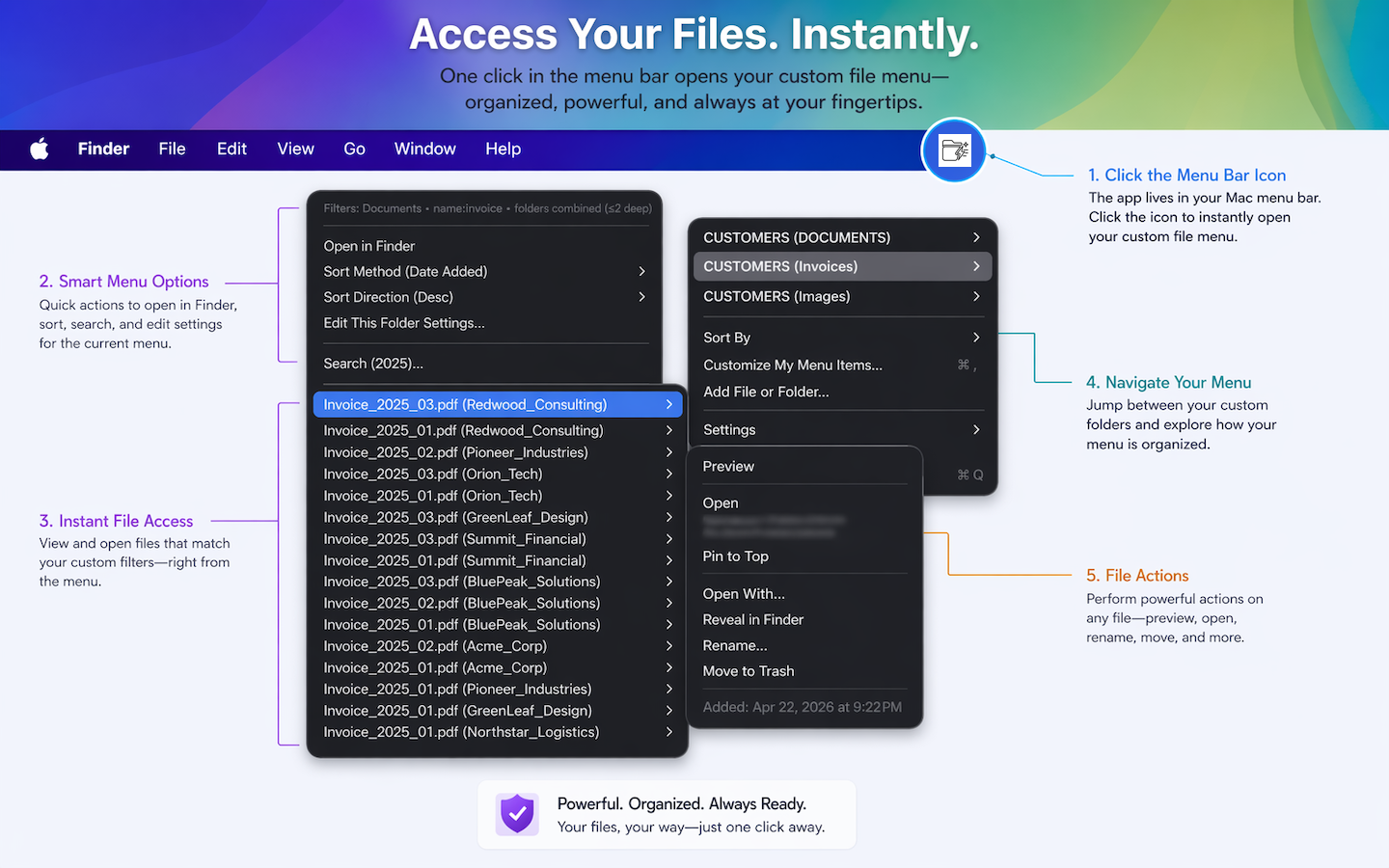
Smart FiltersFilter by type, extension, date, name, and folder depth.
Instant Menu AccessOpen your custom file menu directly from the macOS status bar.
Real File ActionsPreview, open, rename, reveal, pin, or move files to trash.
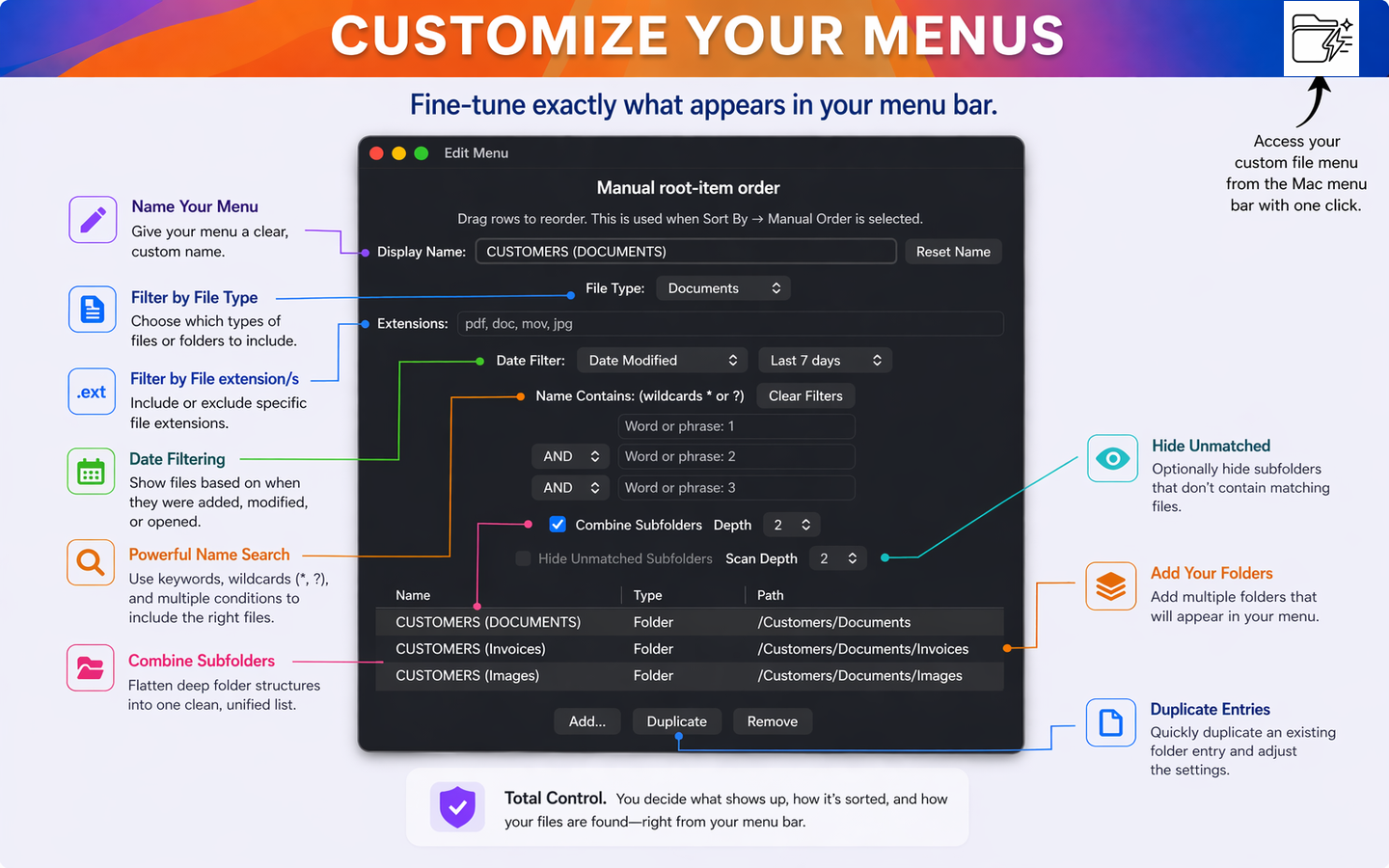
Customize exactly what appears
Name menus, add folders, duplicate entries, combine subfolders, hide unmatched folders, and choose your manual order for root items. FolderyMenu™️ keeps your menu clean without hiding the controls you need.
Made for fast Mac workflows
Keep clients, invoices, downloads, images, projects, and saved searches within reach. FolderyMenu stays out of the way until you need it, then gives you a focused menu that matches the way you work.
Read the FolderyMenu blog: stop digging through Finder for files you use every day.
🔎
Live searchSearch results update as you type.
📌
Pinned itemsKeep frequent files and settings at the top.
↕️
Custom sortingSort by date, manual order, or your preferred rules.
⚙️
System SettingsOpen macOS panes directly from your menu.
One click to your curated files and folders.
Filter files or folders by name, type, date, or other criteria. Use Wildcards. Customize on the fly.
FOlderyMenu gives you the power to instantly control your file and folder lists - no more fussing with Finder or the Dock.