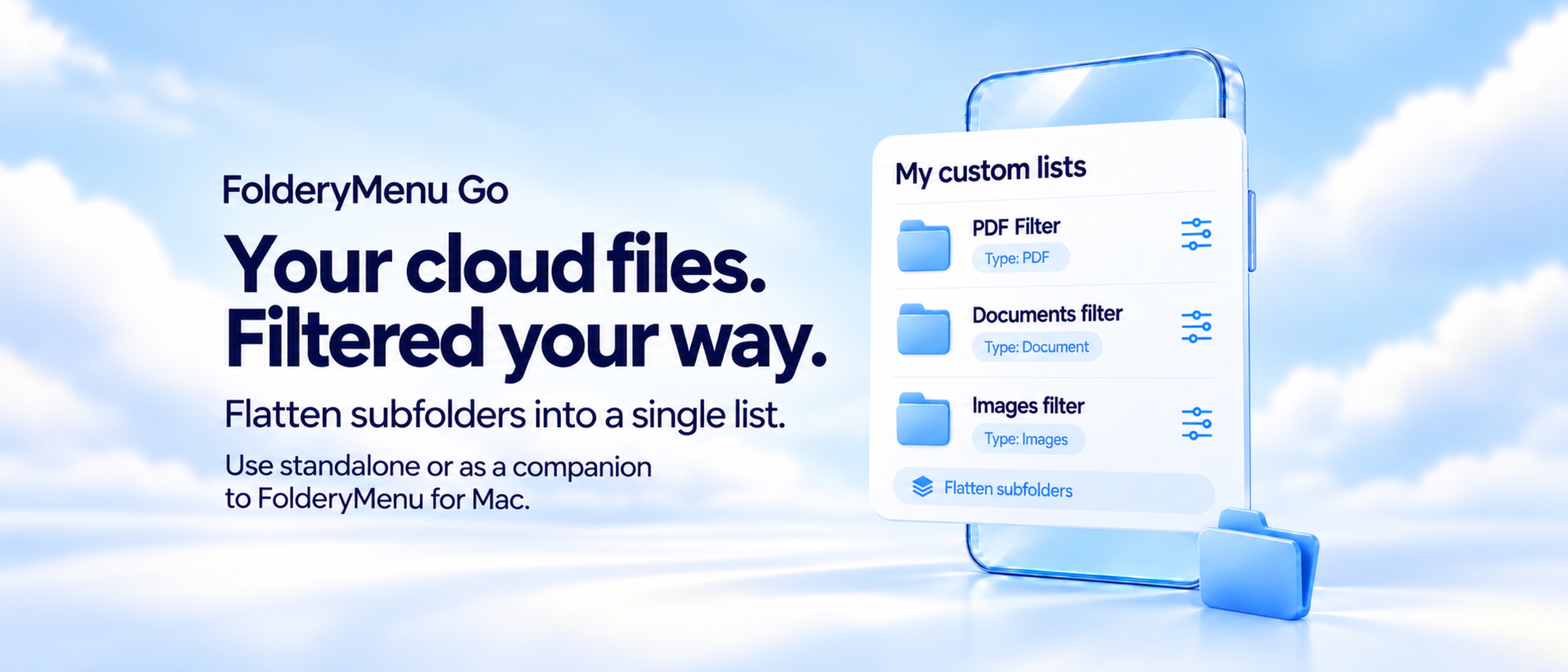
Your files are synchronized, but your workflow is still scattered
The Files app and individual cloud-provider apps are useful when you want to explore a folder hierarchy. They are less efficient when you repeatedly need a specific working set: this month's PDFs, recent client documents, images awaiting review, current spreadsheets, or every matching file buried across project subfolders.
That is where a curated cloud file list helps. Instead of changing your storage structure, FolderyMenu Go creates a view over the files you already have. The source folder stays intact. Your filtered list simply removes the noise between you and the files relevant to the task.
Organize iCloud Drive, Box, OneDrive, and Dropbox files on iOS
FolderyMenu Go can work as a standalone iPhone and iPad cloud file tool. You do not need FolderyMenu for Mac or Mac Sync to connect supported providers and build mobile lists.
iCloud Drive
Choose an accessible iCloud Drive location through Apple's Files picker, then build lists around the folders and files already stored there.
Box
Sign in directly to Box, browse All Box Files, and manually add Box folders or files. Supported content can show thumbnails, preview, share, open in another app, or use View in Box.
OneDrive
Sign in with Microsoft to browse OneDrive and create focused lists. The OneDrive app is not required for direct access through FolderyMenu Go.
Dropbox
Connect Dropbox to browse folders, create filtered lists, and pin important files or folders without requiring the Dropbox app.
Google Drive snapshots
FolderyMenu for Mac can curate approved Google Drive lists and sync read-only snapshots to FolderyMenu Go, where items can be searched and opened.
Local and synced lists together
Keep lists created directly on your mobile device alongside supported lists synchronized from FolderyMenu for Mac.
Filter cloud folders into practical working lists
A shortcut gets you back to a folder. A filtered list gets you closer to the files you meant to find. FolderyMenu Go can narrow a source by file type, extension, name, date, and size, then sort the results in the direction that fits the job.
Useful file-type views
- PDFs and general documents
- Images, RAW photos, movies, and media
- Audio and spreadsheets
- Text, Markdown, code, and scripts
- Archives, design files, fonts, CAD, and more
Ways to remove clutter
- Match or exclude file extensions.
- Search for words in filenames.
- Limit results by modified date or file size.
- Sort by the attribute that matters.
- Search again within the finished list.
See matching files from many subfolders in one place
Folder hierarchies are useful for storage but often slow for review. A client folder may contain separate branches for contracts, invoices, images, deliverables, and archives. If the immediate job is to review every PDF or find all recent images, opening each branch one by one adds friction.
FolderyMenu Go can combine matching results from subfolders into one flattened list. Nothing is merged or moved in the cloud provider. The app changes only the view, making it useful for review queues, upload preparation, document collections, photo selection, and other tasks where file type matters more than location.
Use thumbnails, gallery view, previews, sharing, and Open In
File organization is not only about names. FolderyMenu Go can switch between a compact list and a visual gallery, adjust thumbnail or text sizing, and preview supported files. When you find the right item, share it or open a temporary copy in another compatible app.
Box integration includes direct browsing, thumbnails, previews, Share and Open In, plus View in Box as an external fallback. Box requires download-capable authorization for these native file actions. FolderyMenu Go does not provide Box upload, rename, move, or delete commands.
Use FolderyMenu Go without a Mac—or bring supported Mac lists with you
Standalone cloud file tool
Connect iCloud Drive, Box, OneDrive, or Dropbox directly on iPhone or iPad. Create mobile lists, filters, and pins while Mac Sync remains off. This is the simplest route for someone who only wants a focused cloud file organizer for iOS.
FolderyMenu companion app
Enable FolderyMenu Sync to bring supported Mac-owned lists, compatible settings, Box items, and approved Google Drive snapshots to your mobile device. Lists created in Go remain independent.
Cloud file lists for the work people actually do
Recent client PDFs
Start with a Box or OneDrive client folder, show PDFs, include subfolders, and sort the newest documents first.
Images to review
Combine images from nested project folders, switch to gallery view, and enlarge thumbnails for faster visual selection.
Invoices and receipts
Build a focused document list using filenames, PDF or spreadsheet types, date rules, and the relevant cloud folder.
Mobile presentation files
Pin the deck, supporting PDF, reference images, and shared project folder you need before a meeting.
Downloads and handoffs
Keep recently received or exported files together so they are easier to preview, share, or open in another app.
Cross-device project access
Use a standalone mobile list for cloud content, or pair it with supported FolderyMenu lists from your Mac.
FolderyMenu Go complements Files and cloud-provider apps
FolderyMenu Go is not trying to replace every file-management command. Use Files, Box, OneDrive, or Dropbox when you need to reorganize storage, manage permissions, or perform provider-specific administration. Use FolderyMenu Go when you want a calmer, repeatable view of the cloud files relevant to a task.
A simple way to start
Connect the cloud provider you use most. Choose one busy project or document folder. Create one list for the file type you reach for repeatedly, enable combined subfolders if needed, choose a useful sort order, and pin the few items that must remain close.